Admin Users Only
As an Admin user, you have the ability to download a Auto-Match Metrics Reports from VallenIQ.
This report covers metrics related to closed projects, uploaded line items, and the number of lines the system found auto-matched Vallen part numbers and auto-matched line items that were correct.
These metrics will be sub-segmented into two levels, separated into individual tabs within the downloaded report:
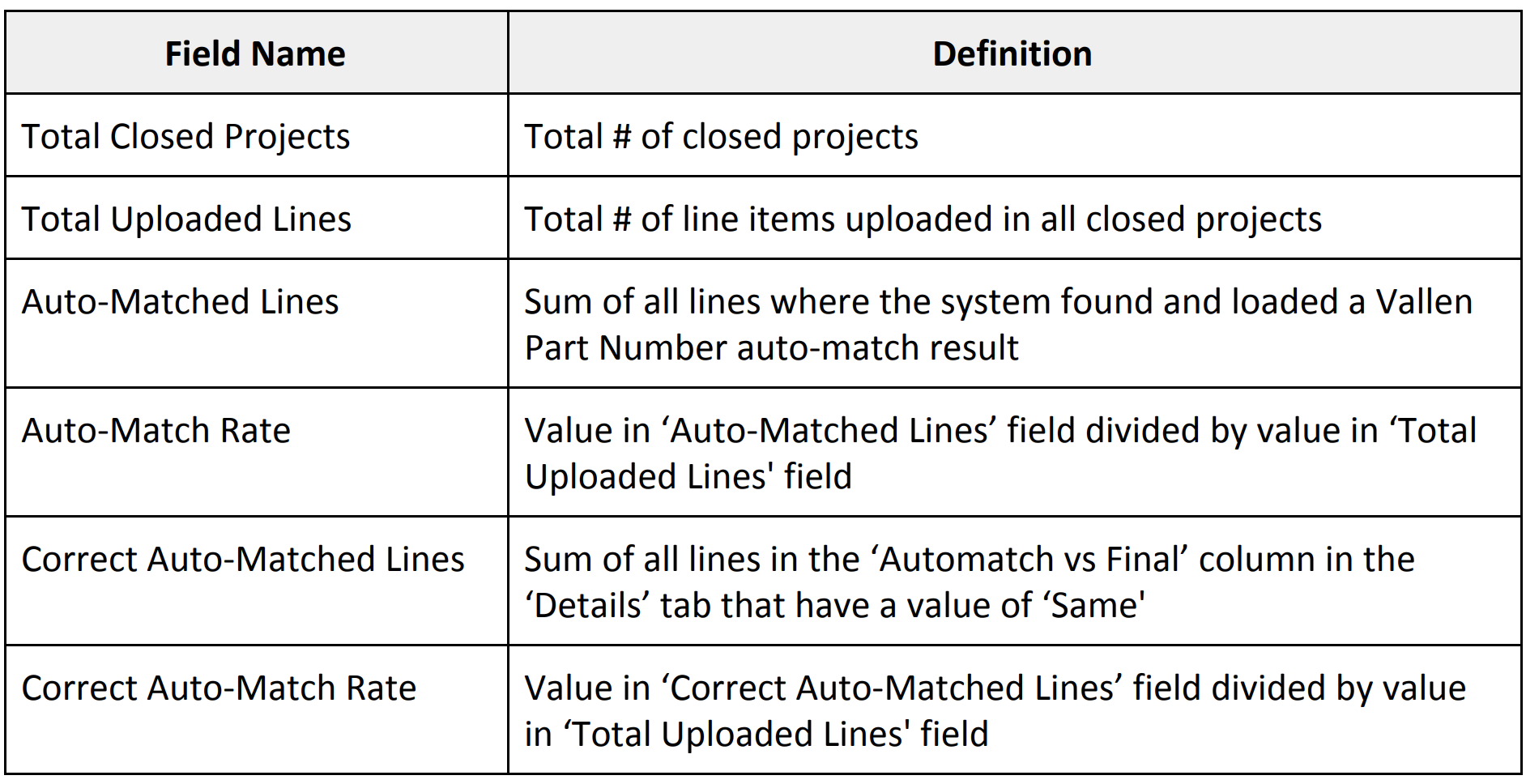
- Summary All Projects: Summary metrics across all closed projects in the system
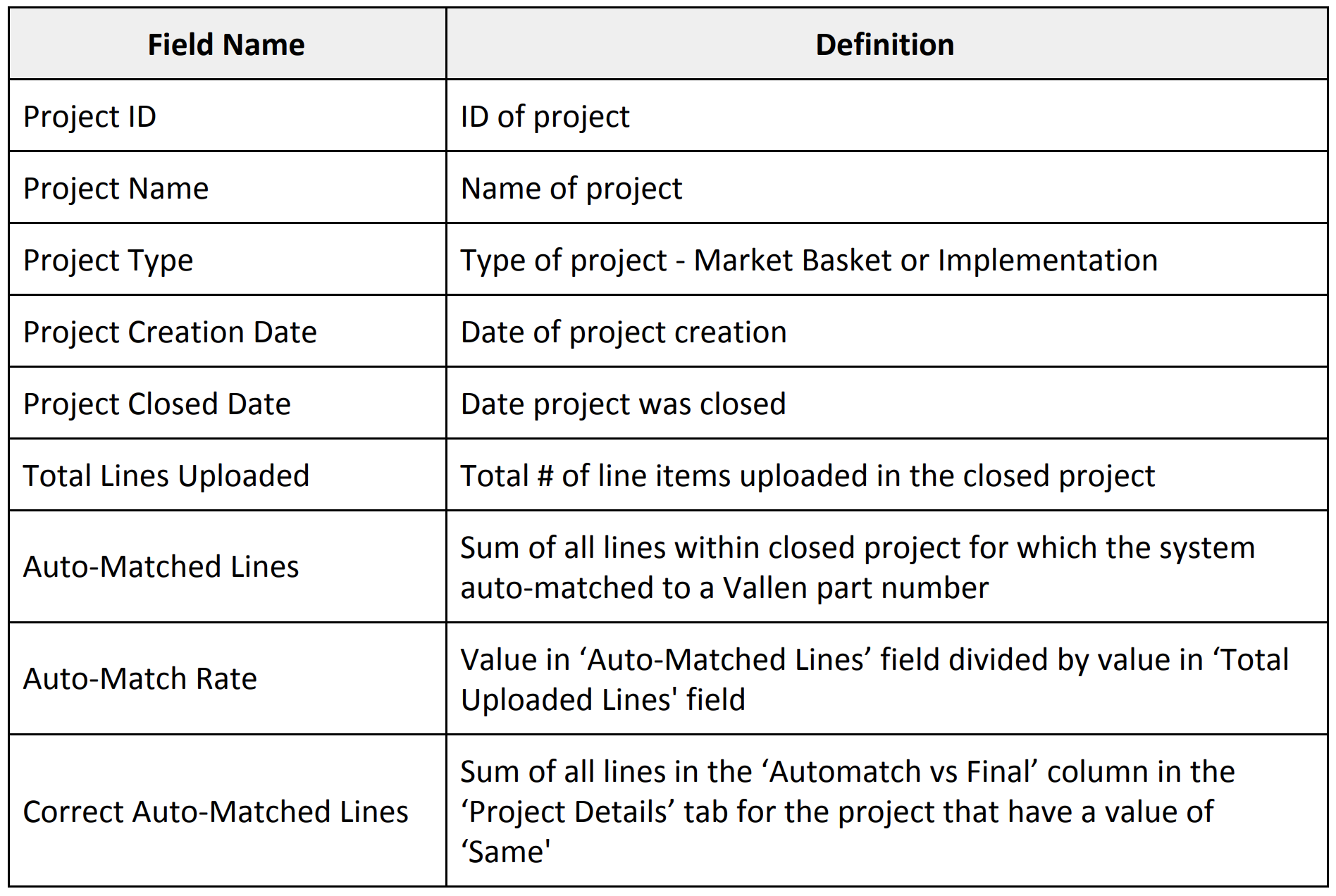
- Summary By Project: Project-level auto-match metrics for all closed projects in the system
Note: Only projects closed after the v1.11 release will appear in the Auto-Match Metrics Report. Historic metrics on projects closed prior to this release will not appear in this report.
Report Access
Admins can download the report by selecting the 'Auto-Match Metrics Report' option located in the My Account drop-down menu within VallenIQ. Or under the General Settings on your Account page.
The downloaded report will be titled 'auto_match_metrics_reports_MM-DD-YYYY' and will be downloaded in .xlsx file format.
Note: Only super admin and admin users will see this option within the system.
Contents
The report will contain two separate tabs that provide auto-matching insights into two levels of detail: metrics across all projects and metrics per project.
The tables below will describe the columns and data included in each tab.
Summary All Projects
Summary By Project