The Line Item search bar is located just below the filters, above the main table.
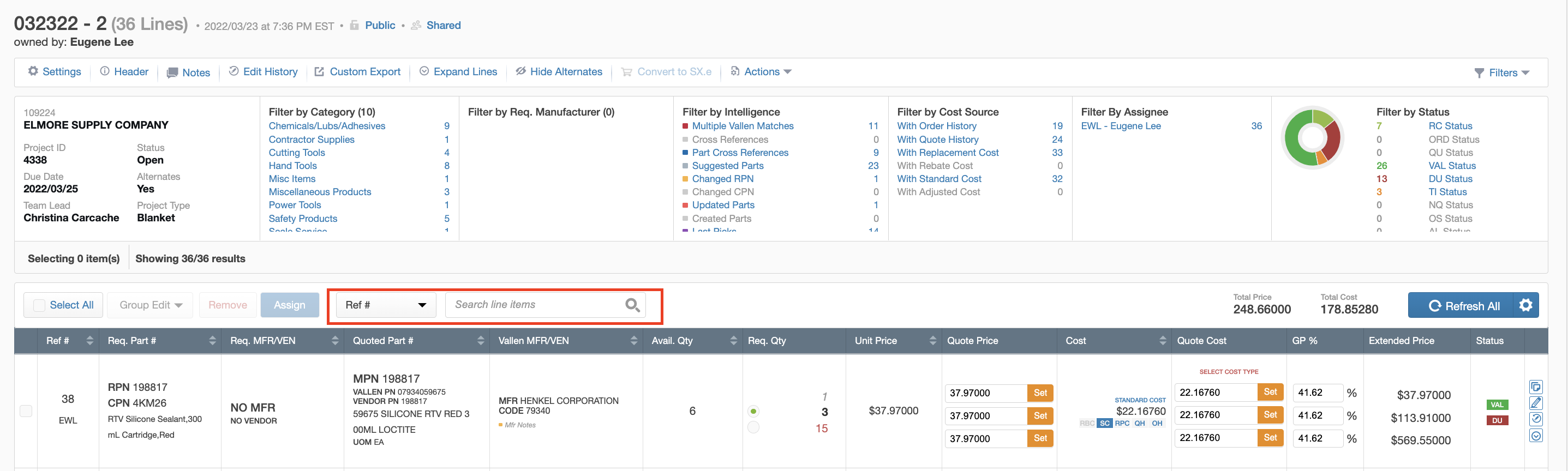
Several search categories are available and can be selected from the drop-down menu to the left of the search bar.
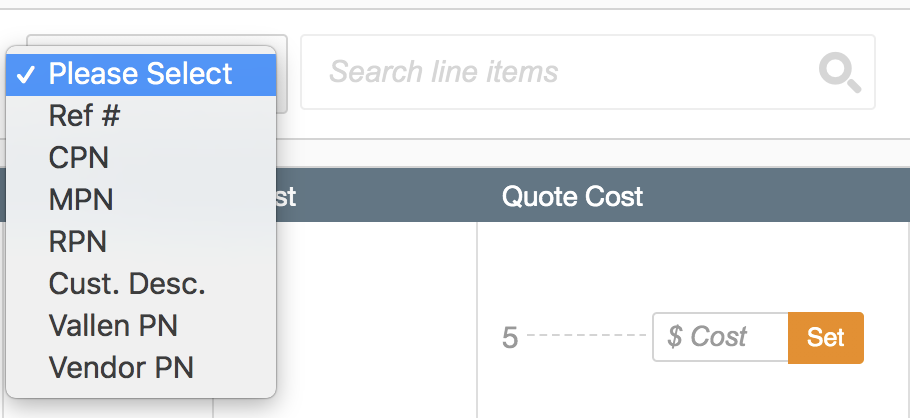
The following categories are available:
- Ref # - Reference #
- CPN - Customer Part Number
- MPN - Manufacturer Part Number
- RPN - Requested Part Number
- Cust. Desc. - Customer Description
- Vallen PN - Vallen Part Number
- Vendor PN - Vendor Part Number
The system will by default pre-select the “Ref #” search category.
Note that all search categories except for ref # will only allow users to search for one search term at a time.
However, searching by ref # will allow users to look up multiple specific ref #’s at once and also search for a range of ref #’s by typing each number and separating them using commas.

If your RFQ file includes a "Ref", “Sort ID” (or similarly named) column, you can also copy these directly from your file and paste the numbers into the Ref # Search bar in Project View, to make the process of finding these lines in VIQ easier.
To clear results, users can click the “x” in the filter tag underneath the Filter Toolbar.
