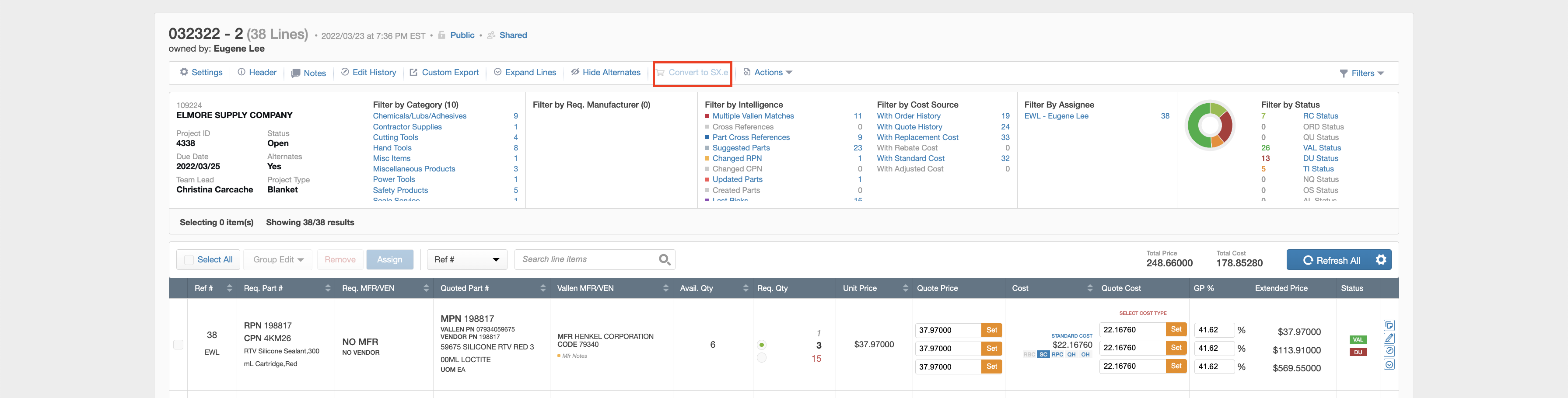
The Order Details modal appears after clicking the Convert to SX.e button in the Quote Actions bar at the top of the quote:
You can specify order level information in the order details modal:
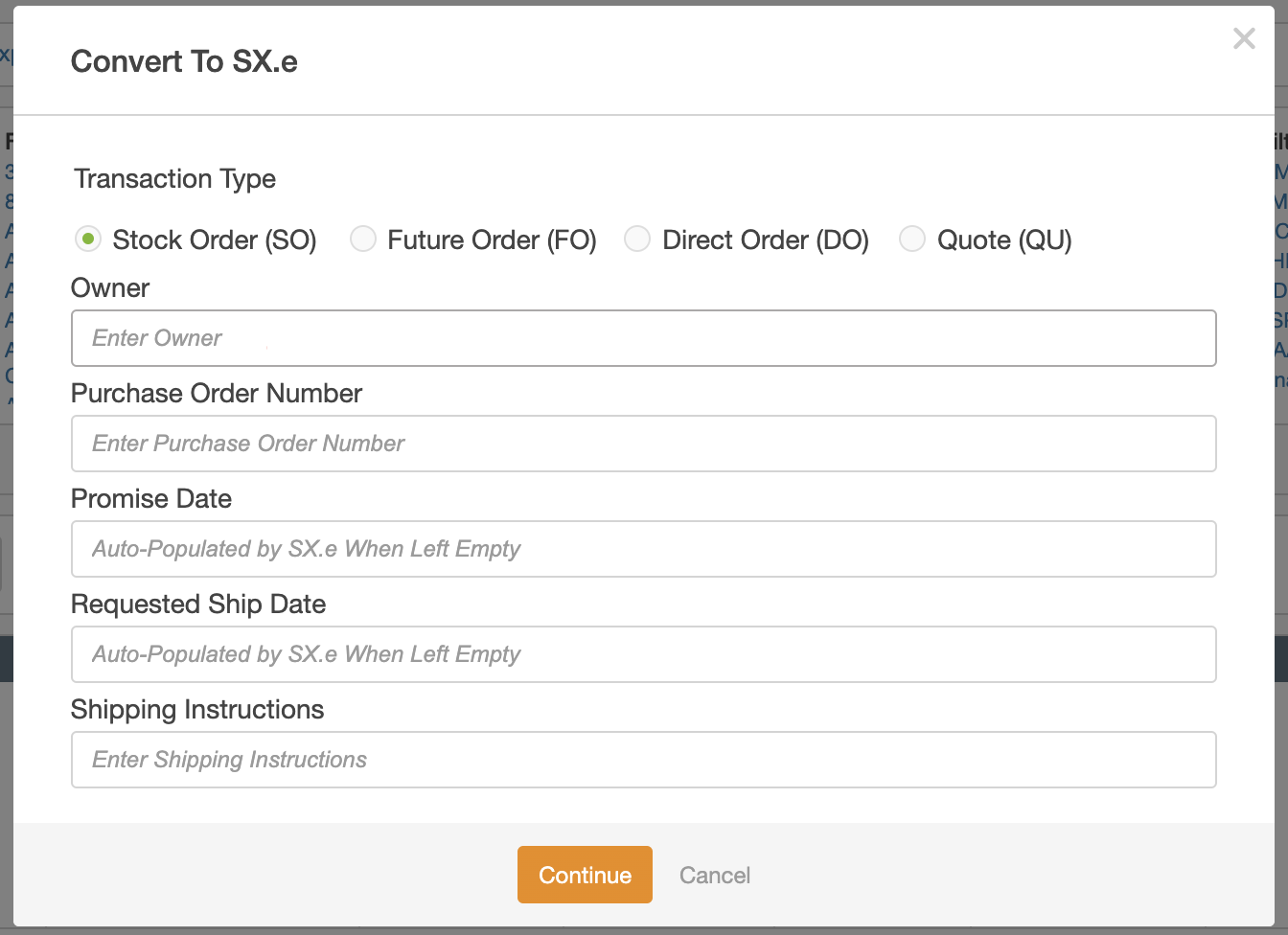
Note: In the Convert to SX.e workflow, the Promise Date and the Requested Ship Date are not required fields, and will be automatically populated if left empty. However, you can choose to add dates if appropriate.
The following details can be entered for the order:
Owner
The name of the user who selected lines and clicked Convert to Order should populate the
Owner field.
Purchase Order Number
The Purchase Order Number field is a required field and can be populated by both
alphanumeric and special characters.
Request Ship Date
This is not a required field. You can populate the field with the date of their choice, but if left
empty, SX.e will automatically update the field with either today’s date or the next business day.
The date used to populate this field will be available to see in the Project or Line Item Edit
History.
Promise Date
This is not a required field. You can populate the field with the date of their choice, but if left
empty, SX.e will automatically default the field to 10 days after the Request Ship Date.
The date used to populate this field will be available to see in the Project or Line Item Edit
History.
Shipping Instructions
This is not a required field. The Shipping Instructions field will be automatically populated by
VallenIQ based on the Customer Account and Ship To Suffix selected in the header of your
quote.
However, users can override the default shipping instructions by typing the new instructions
into this field.
The shipping instructions that were used to populate this field will be available to see in the
Project or Line Item Edit History.
Once all Order Details are entered and verified, select Continue to move forward in the Convert
to Order workflow.